We monitor onboarding KPI. For Slow and Failed onboardings email is sent to support at the beginning of the hour. Upon arrival of this email next steps needs to be taken:
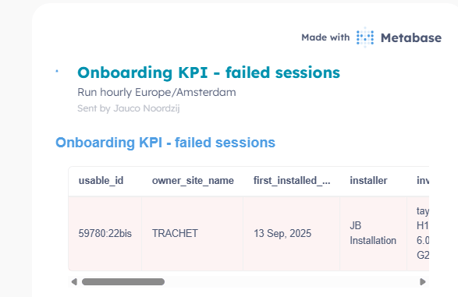
- Create a ticket in Hubspot mentioning that this site has been flagged by onboarding KPI.
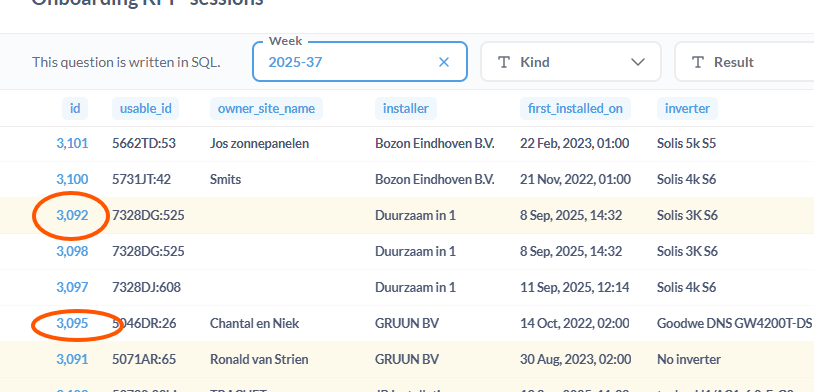
- Check the status of the site and look into metabase sequence ( go to Metabase --> Onboarding KPI --> fill in the year and the week number " 2025-37" --> for new Installation put filter "N" (for re-occuring "R") --> Play , Press on the ID.
Analyse the events.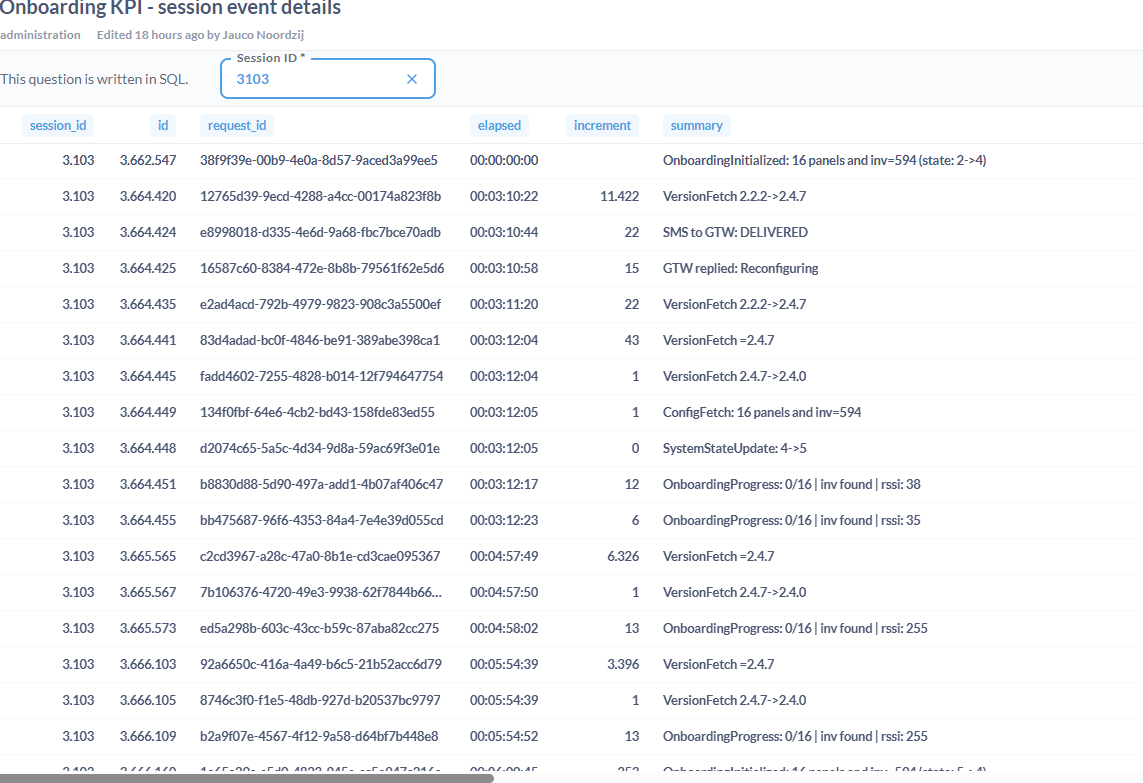
- If the findings cannot be explained, we try to reach the installer. Explanable scenarios.
- Onboarding was started before the Gateway was powered on, e.g. during site creation
- Gateway appeared online but after start of onboarding there were no communication with it (presumably just turned off)
- Possible issues during onboarding
- If it turns out that installer had an issue with scanning panels, brute force scan can be offered, it must be shared that it takes time and in meanwhile dashboard will be showing zeros (whie production will be still occurring)
- In case if inverter was not found, auto detect can be applied.
- In case of not Taylor inverter, it can be that communication cable is not present or is faulty.
- Tango sites have problems as they have own network connected to the ethernet port of the gateway, Tango must do first some modifications on their side.
- Process all findings in hubspot
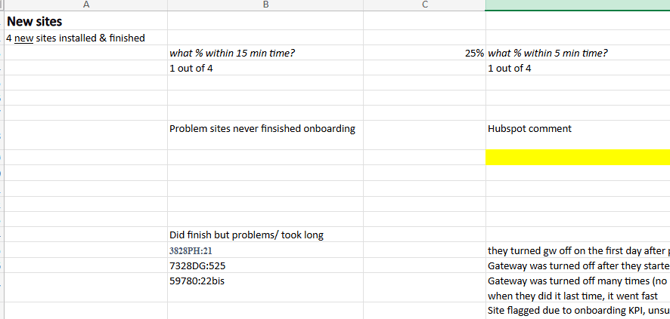
- Weekly during support meeting this topic is discussed. Summary of the findings must be shared in this excel:
- Use tab for corresponding week (create new one if does not exist yet)
- There are two categories New sites (marked as "N" in metabase) and Old sites ("R")
- Update all fields: number of sites, What % within 15/5 min. etc.